
Find Directory Software with DirectoryScout
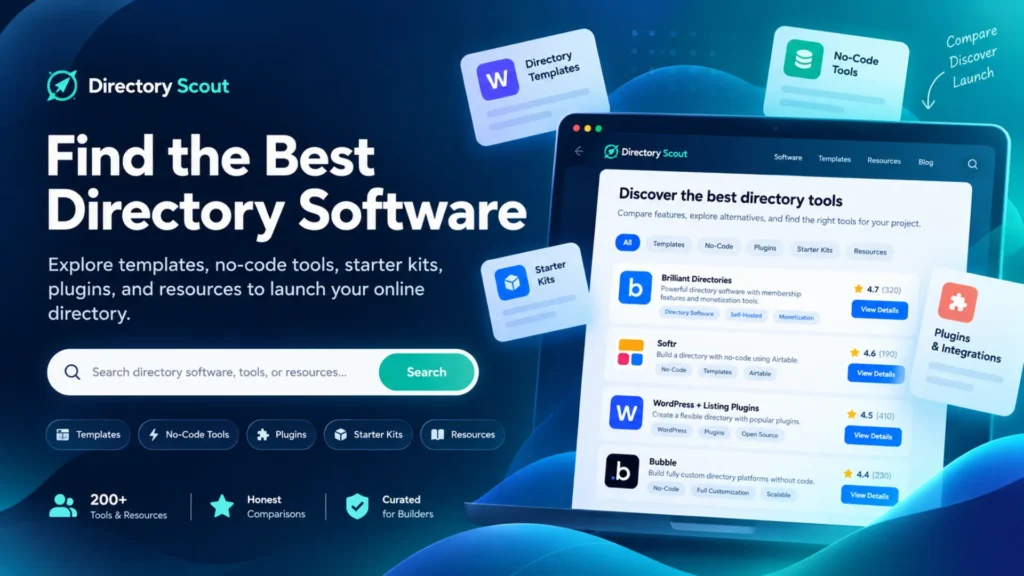
DirectoryScout is a resource for exploring directory software, website templates, no-code platforms, plugins, and development tools used to create online directories. Directory websites organize information into structured listings that help visitors discover businesses, services, products, communities, or specialized resources. Building these websites involves more than choosing an attractive design because the underlying system must support organized information and convenient navigation. Different platforms provide different approaches to managing listings, publishing content, and maintaining website functionality. Understanding these differences helps website creators select technology that matches their technical knowledge, available resources, and project requirements.
Online directories can serve many purposes, from local business discovery to specialized collections of software, professional services, and educational resources. Although these projects may look similar, their technical requirements can vary considerably depending on how information is collected and displayed. A small curated directory might only require straightforward listing pages and category navigation, while a larger platform may need advanced search, user accounts, submission management, and database integrations. DirectoryScout focuses on the software and resources associated with these different approaches to directory development. Exploring the available categories can help builders understand which tools are relevant before committing to a particular website structure.
Contents
Understanding Directory Software and Its Features
Directory software provides the technical foundation for websites that organize and display collections of information. Common functionality includes individual listing pages, categories, search tools, navigation menus, and administrative controls for managing content. Some systems provide predefined directory layouts, while others allow developers to create customized data structures and user experiences. More advanced implementations may support location-based filtering, user submissions, membership access, review moderation, or connections to external databases. These capabilities are not included in every product, making feature evaluation an important part of software selection. A directory designed to showcase a small collection of resources may not need the same infrastructure as a platform containing frequently updated listings. The most suitable software is generally the option that supports the project’s essential requirements without introducing unnecessary complexity. Website owners should also consider how easily information can be corrected, reorganized, and maintained after publication.
Exploring No-Code Platforms and Directory Builders
No-code platforms allow users to create digital products through visual interfaces rather than relying entirely on traditional programming. For directory websites, these platforms can provide tools for building listing pages, connecting databases, designing navigation, and displaying structured information. Solutions such as Softr and Bubble illustrate different approaches to visual application development, including data management, configurable interfaces, and application workflows. However, the availability of specific functionality depends on the platform, its current capabilities, and the selected subscription plan. No-code development can reduce the amount of custom programming required, but it does not eliminate the need for planning, testing, and ongoing maintenance. Builders still need to design accurate data fields, establish consistent categories, and determine how visitors will interact with information. Some projects may benefit from the flexibility of custom development when they require unusual workflows, complex integrations, or highly specialized functionality. Comparing no-code tools with other development methods helps clarify the trade-offs between convenience, customization, and long-term control.
Directory Templates, Plugins, and Starter Kits
Directory templates, plugins, and starter kits address different stages of website creation. Templates usually provide a visual starting point, including layouts for homepages, categories, listing cards, and detail pages. Plugins extend existing website systems by adding functionality such as searchable listings, filtering controls, or content management features. Starter kits and boilerplates can provide developers with reusable project structures that reduce the need to configure common technical components from scratch. These resources differ in the amount of technical knowledge they require and the level of control they provide over the finished website. A template may be sufficient for a relatively simple curated collection, while a project with complex data relationships may require a more flexible application framework. Compatibility with the chosen website platform is particularly important because not every plugin or template works with every system. Evaluating the intended use of each resource helps prevent unnecessary additions that make a website harder to manage.
Directory Templates for Organized Website Layouts
Directory templates provide predefined design structures that can be adapted to different subjects and audiences. Typical elements include listing grids, category sections, navigation menus, detail pages, and responsive page layouts. Some templates are primarily visual designs, while others include connections to content management systems or structured data sources. This distinction matters because a visually complete template does not necessarily include a working submission process, database, or search system. Templates are available for website platforms such as WordPress, Framer, and Webflow, although their capabilities differ across products. Before selecting one, builders should examine how listings are edited, whether layouts adapt to smaller screens, and which features require additional tools. A practical template should make information easy to understand while allowing the website to develop beyond its initial collection of listings.
No-Code Tools for Managing Structured Information
Structured information is central to a functional online directory because individual entries often share common attributes. A business directory might organize records by name, category, location, description, and available services, while a software directory might prioritize supported platforms, features, and pricing models. Database tools such as Airtable can organize this information into consistent records that other applications may use to display directory content. Platforms that connect to external data sources can separate information management from the visual presentation of listings. This approach can be useful when records require frequent updates or when multiple pages display information from the same collection. However, database connections, synchronization behavior, and access permissions should be checked before selecting a platform. A well-planned information structure makes it easier to maintain accurate records and introduce additional filters as the directory grows.
Plugins and Starter Kits for Additional Functionality
Plugins and starter kits offer different ways to extend a directory beyond its initial design. Within WordPress, plugins and custom post types can support specialized content structures for managing information separately from ordinary blog posts. Depending on the implementation, additional components may provide search filters, user registration, listing submissions, or other administrative capabilities. Starter kits are particularly relevant to developers who prefer working with application frameworks and reusable code rather than relying exclusively on a visual editor. These resources may include project configurations, interface components, and other development foundations, although their contents vary significantly. Technical compatibility, documentation quality, update history, and licensing terms are important considerations before adoption. Adding more features is not always beneficial, since additional dependencies can increase maintenance requirements and create compatibility concerns during future upgrades.
Choosing Directory Tools for Long-Term Website Management
Selecting directory software should involve more than comparing the appearance of example websites. A reliable evaluation begins with the intended audience, required listing information, expected content volume, and the workflows needed to manage that information. Important considerations include search functionality, category organization, mobile usability, data management, accessibility, and compatibility with other tools. Builders should also examine whether a platform allows information to be exported or transferred, particularly when long-term flexibility is a priority. Pricing deserves careful attention because software subscriptions, hosting, paid plugins, transaction fees, and additional integrations can affect the total cost of maintaining a directory. Testing a platform with realistic sample listings can reveal limitations that may not be obvious from promotional demonstrations. DirectoryScout provides a starting point for exploring different categories of software and related resources, while final decisions should be based on verified product capabilities and individual project requirements. A sustainable directory combines suitable technology with useful information, clear organization, and an ongoing commitment to content accuracy.
What is directory software?
Directory software is technology used to organize, manage, and display structured listings on a website, often with categories and search functionality.
Can an online directory be built without coding?
Yes. No-code platforms and configurable website builders can support directory websites, although available features vary by platform.
What should I consider when choosing directory software?
Consider listing management, search features, customization, mobile usability, ongoing costs, and the ability to maintain or export your data.